
As part of the Mansions DLC drip feed there is a new Adversary Mode available – Mansion Raid.
You will be assigned the role of an Attacker or Defender and you will need a group of 4-8 players to play. The goal as an attacker is to reach the Mansion basement and steal away the gold to a waiting vehicle outside without losing all your team lives and to complete it in the time period. The goal as a defender is simply to prevent them doing so.
Watch the video above to see how to get started.
Currently, there are five(ish!) different ways that you can start the Mansion Raid:
- Via the game’s Main Menu screen at launch (this won’t be there forever and is likely to be replaced in a week or two)
- You can also reach this via the in-game main menu by going to Online > Quit to Main Menu
- Look out for invites to your in-game phone which will pop up on the left-hand side. Open your phone and go to your Job List to accept one
- You can currently visit the Featured Series area on the map as shown in the video in Legion Square. Just walk into the marker to Enter the session or to go on hold when it has enough players for you to go straight in.
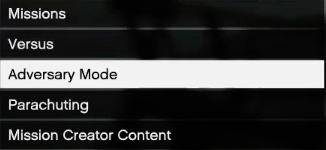
- The most reliable way to find out if the Mansions Raid is still active is via the Jobs menu. Access this via the in-game main menu by going to Online > Jobs > Rockstar Created > Adversary Mode and then clicking on Mansions Raid. Bear in mind that Rockstar can retire missions and modes (albeit they often bring them back later), so if it’s not there then that’s the reason.
 Follow That